Building a Dynamic 3D Case Designer
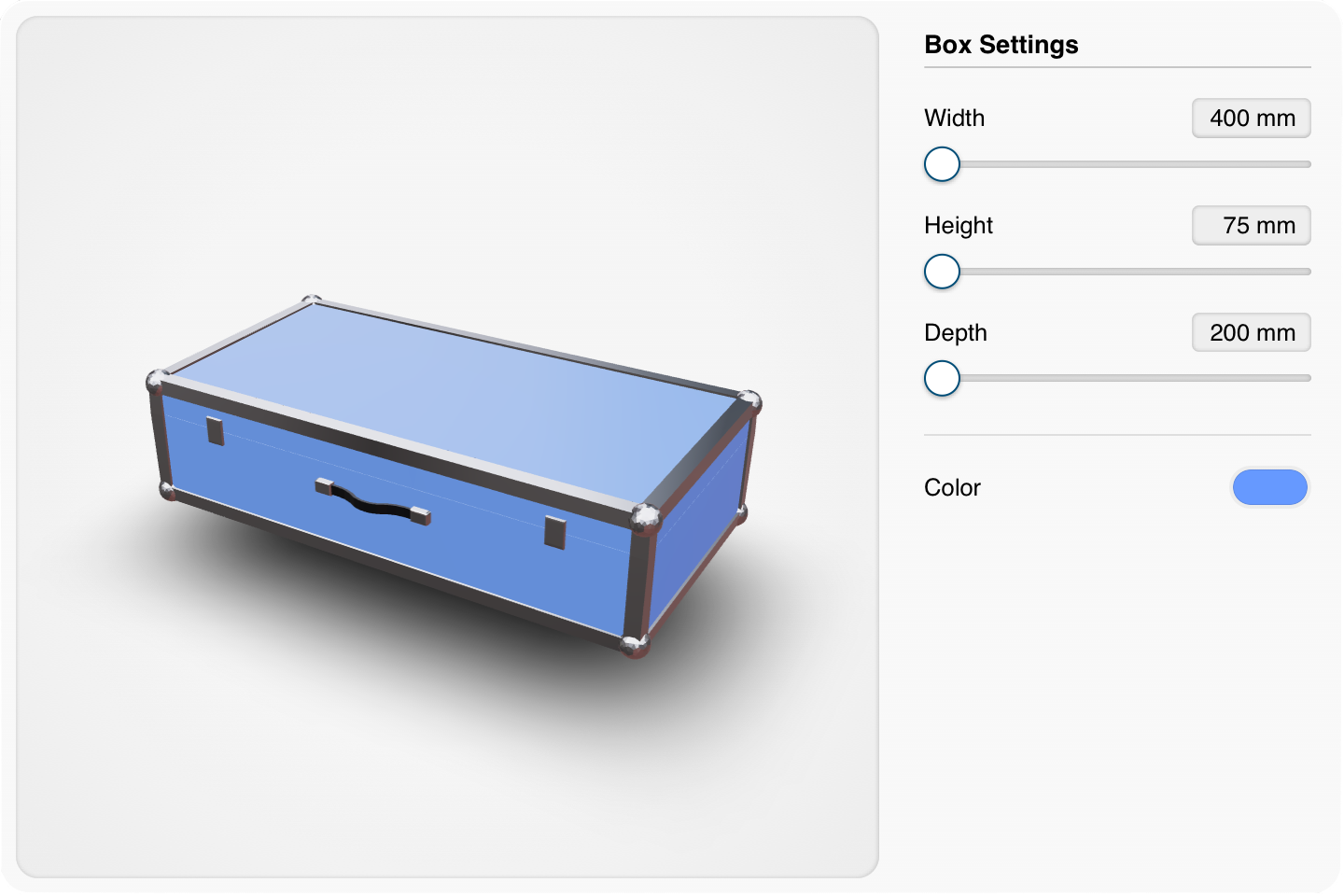
Displaying a static 3D model on a website is one thing, I’ve done that a few times now. But this time, I wanted to push further. I wanted to build something interactive. My goal was a web app that allows users to resize an instrument case in real-time. Here is how I bridged the gap between Blender and the browser.
Shape Keys
After a brief search, I landed on Blender Shape Keys. Instead of trying to scale the entire object (which often ruins the proportions of the latches or handle), shape keys allowed me to define specific deformations for length, width, and height.
To keep the workflow clean, I stored the dimension values as custom properties directly within the Blender model. This turned the .glb file into a self-contained data object, simplifying how the web app reads the model's constraints.
The Tech Stack
To bring the model to life on the web, I used:
- Three.js: The heavy lifter for 3D rendering.
- React Three Fiber (R3F): To bridge Three.js with React, making the UI-to-model state management seamless.
- Blender: For the modeling and shape key exports.
Lessons Learned
I’ll be the first to admit: I’m a Blender beginner. The modeling here is rudimentary, but this project wasn’t about perfect art, it was about exploring the possibilities of parametric design on the web. I’m already planning a more complex project to put these new skills to the test.
Try the case designer demo.